How VidCarve Minutes, Plans and Top-Ups Work
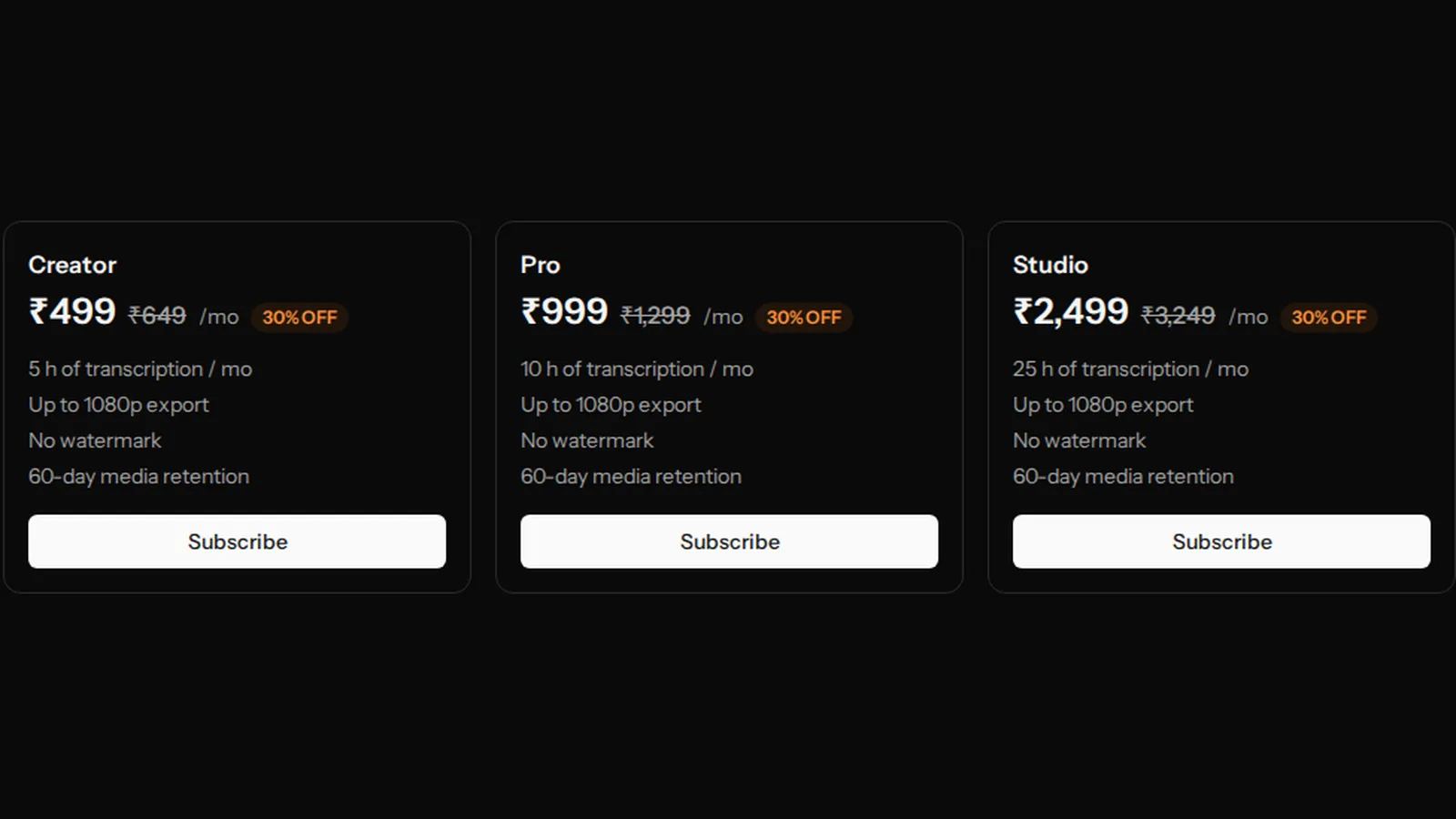
VidCarve meters one thing: minutes of audio transcribed. Every plan is a monthly allowance of those minutes plus a set of limits on what you can do with the result — resolution, watermark, how long your files are kept. Exports, clips, chapters, captions, B-roll and re-transcribing already-paid audio cost nothing extra. This page explains when minutes are taken, when they come back, what each plan changes, and what a ₹30 top-up is for.
The short version
- Minutes are debited when transcription starts, for the exact length of the audio, and refunded exactly if transcription fails.
- Only transcription is metered. Everything you do afterwards to the same video is free.
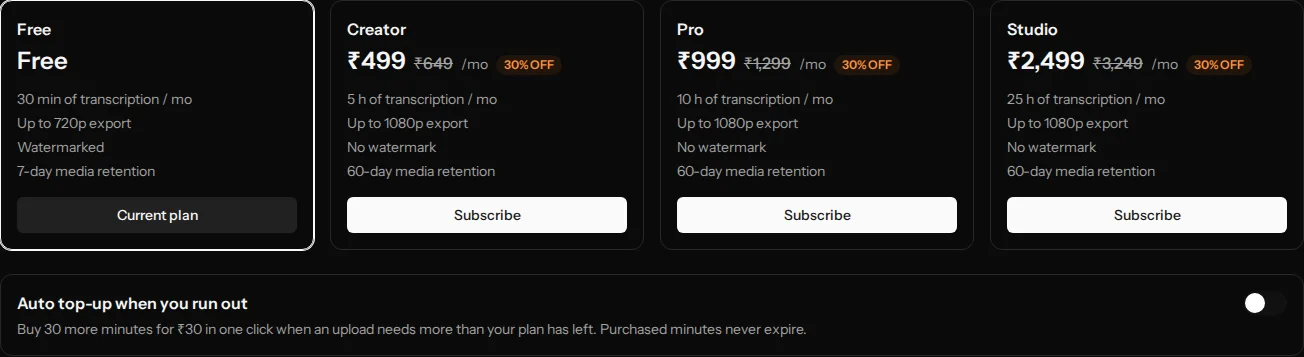
- Free: 30 minutes a month, 30-minute upload cap, one video processing at a time, 720p with a watermark, files kept 7 days.
- Creator ₹499 = 5 hours, Pro ₹999 = 10 hours, Studio ₹2,499 = 25 hours a month, all 1080p, no watermark, Studio sound, files kept 60 days.
- Top-ups are ₹30 for 30 minutes, bought when an upload needs more than you have left; they never expire.
What exactly is a "minute"?
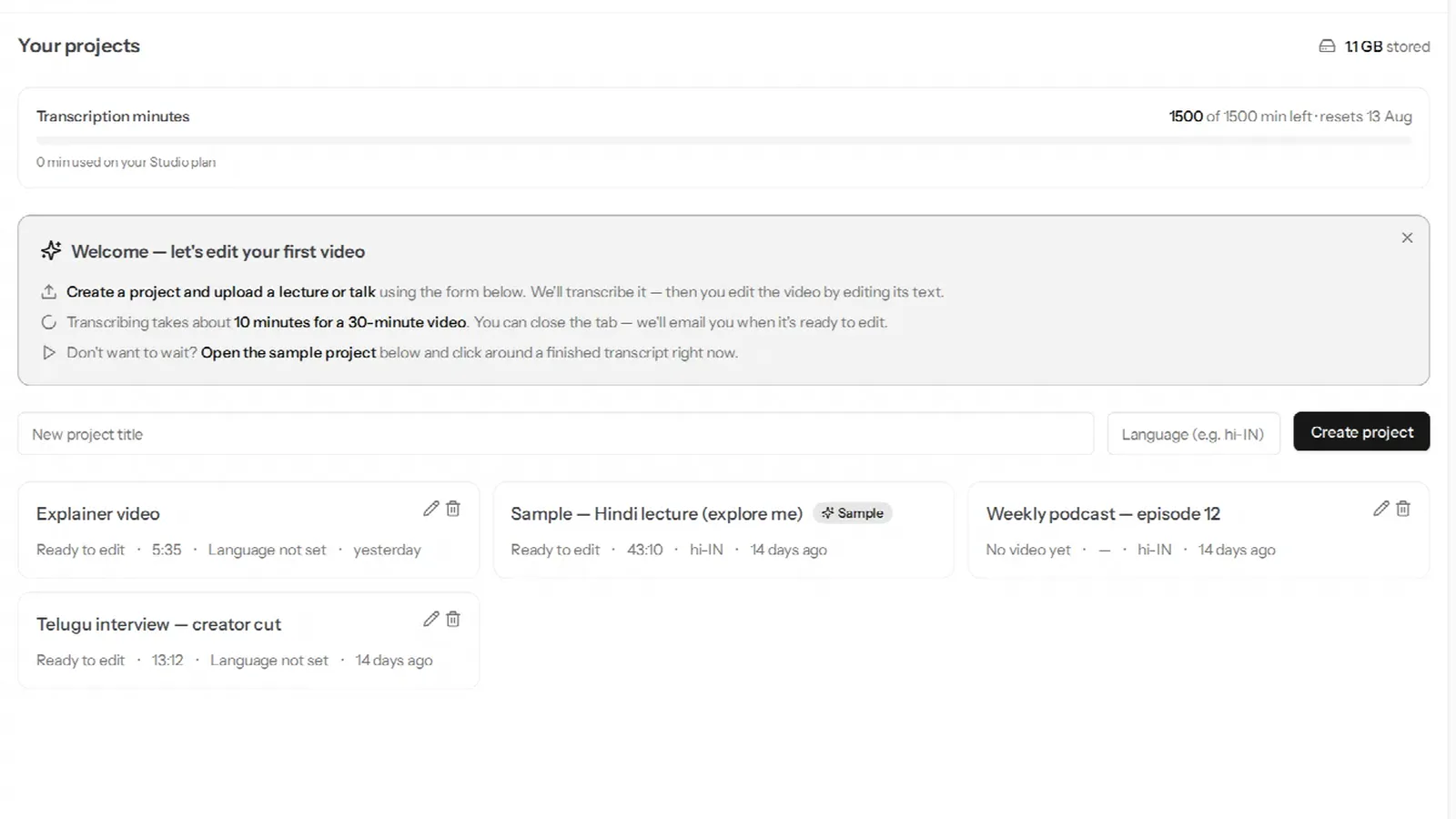
Sixty seconds of the audio track of a file you upload, measured after the file is ingested. A 47-minute-and-20-second lecture is 47.33 minutes — there is no rounding up to the next minute or the next block. The dashboard shows the running total against your plan.

When are minutes taken?
Before transcription starts, not after it finishes. Once your upload is ingested, VidCarve checks that your balance covers the whole file, debits it, and only then sends the audio for transcription. That order is deliberate: it means the allowance can never be overdrawn by two uploads racing each other, and it means a file that will not fit is stopped before any work is done, with a clear message rather than a half-finished project.
Three consequences worth knowing:
- If transcription fails, the minutes come back — exactly the amount debited, automatically. A failed job never costs anything.
- The same audio is never charged twice. If you add glossary terms and Transcribe again, the panel says Free — you've already paid for these minutes, and it is.
- Deleting a project does not refund it. The transcription was delivered; the minutes were spent on it.
What is free once the transcript exists?
All of it. Cutting, filler removal, silence tightening, retake finding, clip finding, chapters, speaker naming, caption styling, B-roll, Studio sound, and every export at any resolution, as many times as you like. None of these touch the meter. The reason is simple: transcription is the only step with a real per-minute cost behind it, so it is the only step you pay per minute for.
What does the free plan limit, precisely?
- 30 minutes of transcription a month. The month runs from the day you signed up, not the calendar month — the dashboard shows the reset date.
- Each upload is capped at 30 minutes. A longer file is refused before it is metered, with a message saying so. This is separate from the allowance: a 25-minute file fits, a 35-minute file does not, even on day one.
- One video processes at a time. Upload a second while the first is transcribing and it waits — the project reads Queued — starts automatically and begins when the first finishes. Nothing is lost; it is just serial.
- Exports are 720p and carry a small watermark. Upgrading and re-exporting gives you a clean 1080p file from the same project.
- Media is kept for 7 days from upload; after that the source is removed and the exports and transcript stay. See retention.
- No Studio sound.
Unused free minutes do not carry over. Thirty minutes a month is enough to find out whether the editor suits you, which is what it is for.
What changes on a paid plan?
The three paid plans differ from each other only in hours. Everything else is the same on all three:
- 1080p exports, no watermark.
- No per-upload length cap and no one-at-a-time queue. Upload the two-hour panel.
- Studio sound, the one-toggle audio clean-up.
- 60-day retention on the source media.
Plan minutes reset on your billing date each month and, like free minutes, do not roll over. Choosing a plan is therefore a question of how many hours of raw recording you make in a month: a weekly 45-minute podcast is about three hours, so Creator; a daily 20-minute class is about seven, so Pro. Prices are in rupees, billed monthly through Razorpay.
Cancelling keeps your access until the end of the period you have paid for, then returns the account to the free plan. Your projects, exports and transcripts are untouched; the free plan's retention window applies to media from then on, with a floor so that nothing is removed sooner than a week after the downgrade.
What is a top-up, and when do I need one?
A top-up buys 30 minutes for ₹30, as a one-off, and those minutes never expire — they sit beside your plan allowance and are drawn on only after the plan minutes for the month are used. Any plan can buy them, including free.
Top-ups are switched on from the billing page: Auto top-up when you run out. It is off by default, because a purchase you did not expect is worse than a pause, and it does not charge anything on its own — it changes what happens when an upload needs more minutes than you have:
- With it off, the project stops with Out of transcription minutes and one exit: Upgrade plan.
- With it on, the project stops with One step to keep going and a Buy more minutes button. It works out the shortfall, rounds it up to whole 30-minute blocks, and opens a checkout for exactly that amount. A 28-minute file with 10 minutes left is an 18-minute shortfall, so one block, ₹30; a two-hour panel on a paid plan with 40 minutes left is 80 short, so three blocks, ₹90. The moment the payment lands, the project resumes on its own — you do not upload again.
Either way the check happens before transcription, so the file is never half-processed while you decide.
Top-up or upgrade?
Per minute, a top-up is actually the cheaper unit — ₹1 a minute against about ₹1.66 on Creator. What a top-up does not do is change any other limit: on the free plan you still have the 30-minute cap on a single upload, 720p, the watermark and the 7-day window. So top-ups suit someone who is happy inside those limits and occasionally needs another file transcribed, and a plan suits someone whose recordings are longer than 30 minutes, who wants clean 1080p files, or who wants them kept for two months. If you find yourself topping up most months and wanting any of those, the plan is the better deal.
Frequently asked questions
Do exports use minutes?
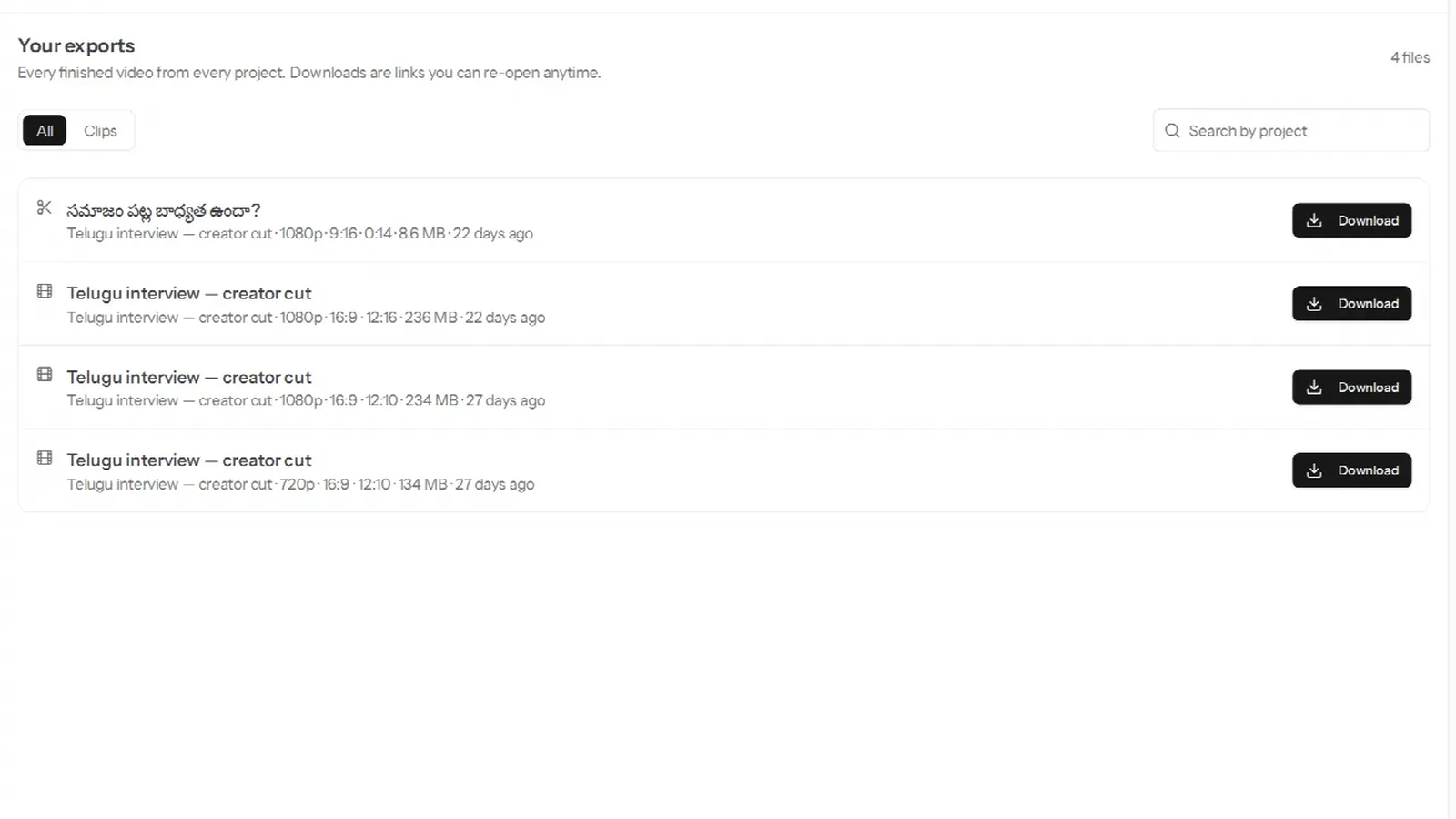
No. Export as often as you like.
Does re-transcribing use minutes?
Not for audio you have already paid for. The re-transcribe button tells you in advance whether it is free.
Do speaker labels cost extra?
No. Turning on Multiple speakers is a setting on the project, not a charge — the minutes are the same either way.
What happens to my minutes if I upgrade mid-month?
The new plan's allowance applies from the new billing date. Purchased top-up minutes are unaffected and carry across any plan change.
I uploaded the wrong file. Can I get the minutes back?
Not once transcription has started — that is when they are spent. The upload cap and the pre-check exist so that the mistake is caught before then when it can be; after that, the transcription was done.
Is there a yearly plan?
Not today. Plans are monthly and can be cancelled at any time from the billing page.
Next steps
- Projects, storage and retention — what the 7-day and 60-day windows actually remove.
- Export, download and keep your videos — the 720p/1080p and watermark rules in practice.
- How the pricing compares with Descript and the other transcript editors.